
On this page
The Designer is the shipyard
The official core-loop post describes three ways into the Designer:
- Command module: open the Designer to edit your station.
- Shipyard module: edit the ship docked there. Constructing new ships and disassembling old ones also happens through the Shipyard Core, according to the official patch notes.
- Main menu: design in creative mode and save blueprints for later.
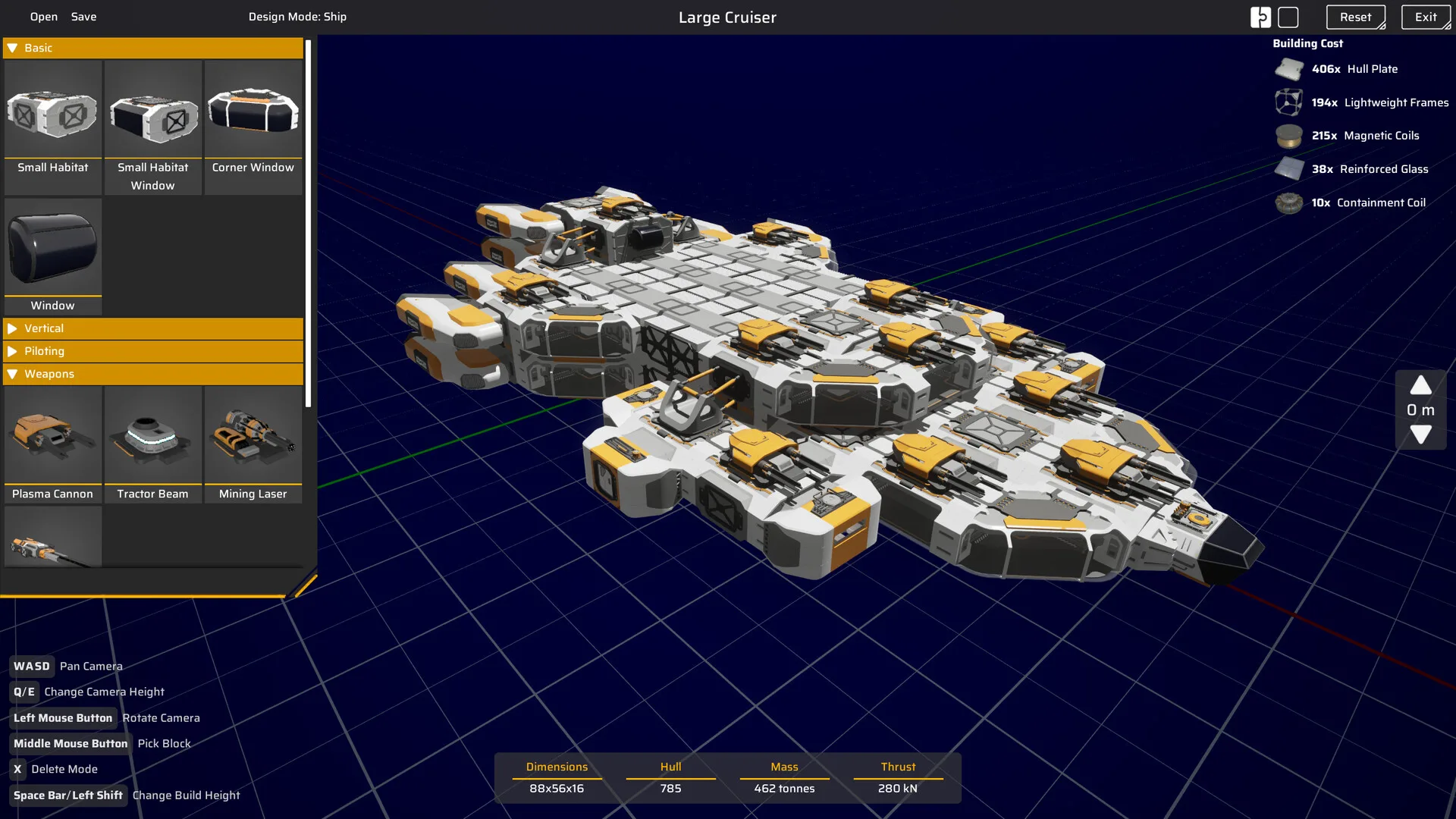
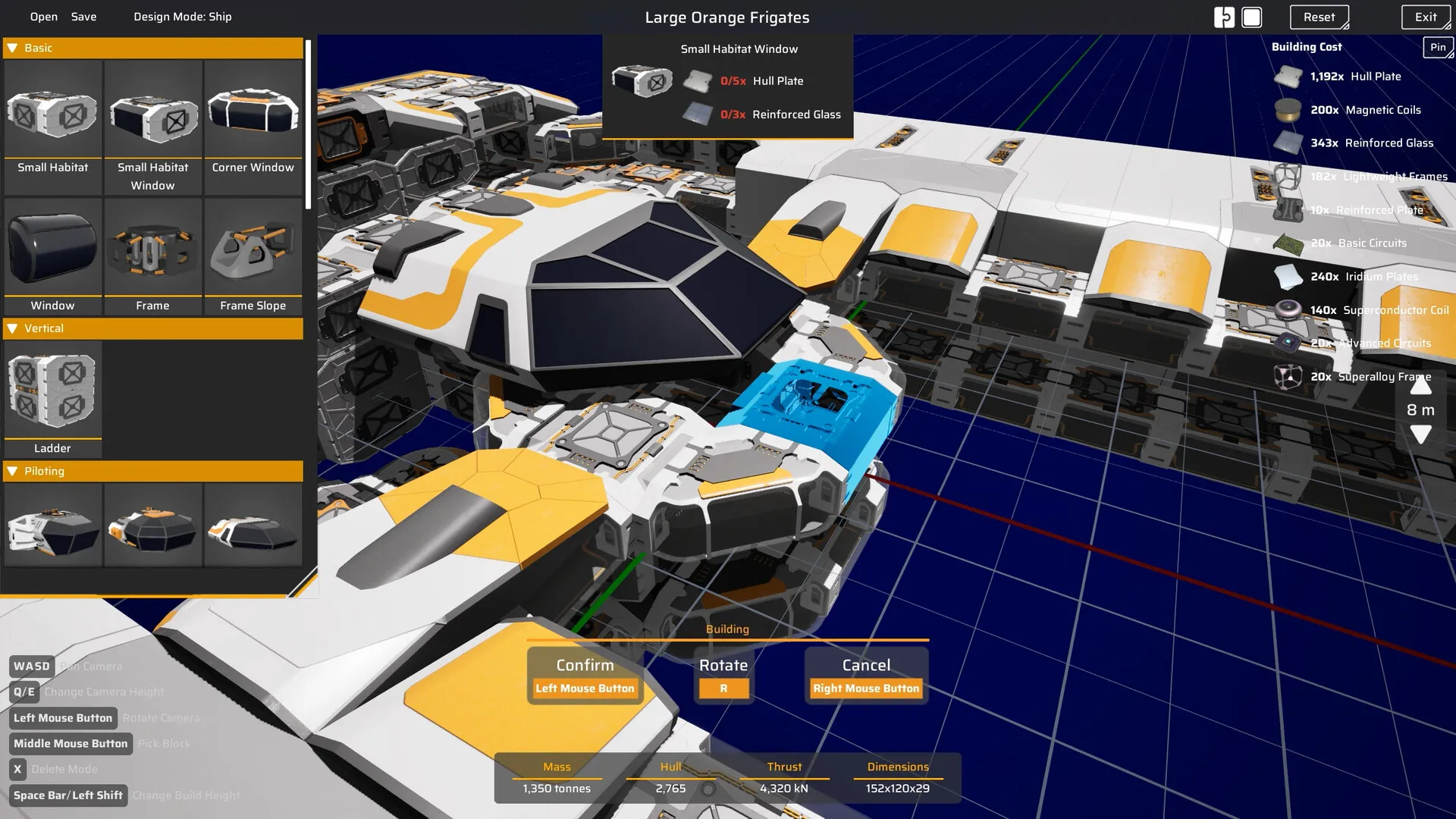
Ships use modules rather than one monolithic hull. The official store description names cargo capacity, reactor placement and weapons as choices. The Designer screenshot shows Basic, Vertical, Piloting and Weapons categories, with a live mass/hull/thrust/dimensions readout and a separate build-cost list. Those categories are a good way to structure your own design pass.
Step 1: define the ship’s job
A ship that tries to mine, haul, fight and explore at the same time will usually do all four awkwardly. Pick a primary job:
| Role | What the design needs | Confirmed parts to consider |
|---|---|---|
| Miner | Mining tools, enough cargo for a useful run, enough thrust to move between rocks. | Mining Laser, cargo/storage modules, thrusters. |
| Hauler | Cargo capacity, a safe route and a dock it can use. | Ship Container, thrusters, defensive utility. |
| Combat ship | Weapons, shields, repair supplies and enough mobility to disengage. | Plasma Cannon, Plasma Lance, Shield Generator Mk. 1, Repair Pack. |
| Explorer | Travel range, scanning utility and enough supplies to return. | Slipstream Drive, Tractor Beam, cargo and fuel. |
The module list is confirmed, but the best combination is not. Specific ranges, damage values and power draws are not public enough to rank builds responsibly.
Step 2: read the build stats as trade-offs
The Designer readout gives you mass, hull, thrust and dimensions. The screenshot’s exact values belong to that specific build, not a universal target. Use the relationships:
- Mass versus thrust. Adding structure, cargo and weapons increases mass. More thrust helps a heavy ship move, but thrust modules also add mass and power demand. There is no public “correct” ratio.
- Hull is not invincibility. A high hull value tells you how much structure the design has, not whether the ship can survive a fight. Shields, weapons and mobility matter too.
- Dimensions matter in a first-person ship. The ship is a physical space you walk through. Long, tall or wide designs can be harder to fit around a dock and harder to navigate internally.
- Build cost is part of the design. The right-hand panel shows the materials required. A design you cannot afford is a blueprint, not a ship.
The numbers visible in official screenshots are from a development build. We do not reproduce them as “ideal stats” because patch notes already changed component masses and build costs during the demo period.
Step 3: plan power, space and access
The store description names reactor placement as a design decision. A reactor is not just a required block; it is a thing you need to reach and configure. Keep it accessible, and avoid sealing it behind a decorative wall with no door.
- Place power generation before filling the hull with machines.
- Keep power and fuel storage near the reactor or generator, not across the ship.
- Leave a walking route from the pilot seat to the power controls.
- Check that the final module count fits the power budget before you save the blueprint.
The available sources do not publish a per-module power table. Use the in-game configuration panel as the authority, especially after patches.
Landing gear and ship interiors
Landing Gear, Ship Ladder, Ship Frames, Ship Windows I and Small Habitat Window are confirmed ship modules or unlocks. They serve different jobs: some keep the ship physically usable, some are structural, some are interior navigation and some are visual. A screenshot of a beautiful ship is not proof that its landing gear or interior path works in the current build.
Step 4: build cargo around the route, not the stat
Cargo capacity matters only if the ship can complete the route, dock, and unload. The official August 2025 patch notes state that each Ship Container increases a ship’s inventory max stack size by 50%. That makes containers a strong tool for a hauler, but stacking them without thrust, power and docking space is not automatically better.
A useful test is a round trip, not a static inspection: load the ship, fly the intended route, dock, unload and check whether you had to fight the controls or abandon cargo space. If the route is too long, add range or reduce the load before adding more containers.
Step 5: weapons, shields and utility
Confirmed combat modules include the Plasma Cannon and Plasma Lance, while the Shield Generator Mk. 1 arrived in the October 19, 2026 demo update. The Tractor Beam and Mining Laser are utility systems shown in official screenshots and the ship designer.
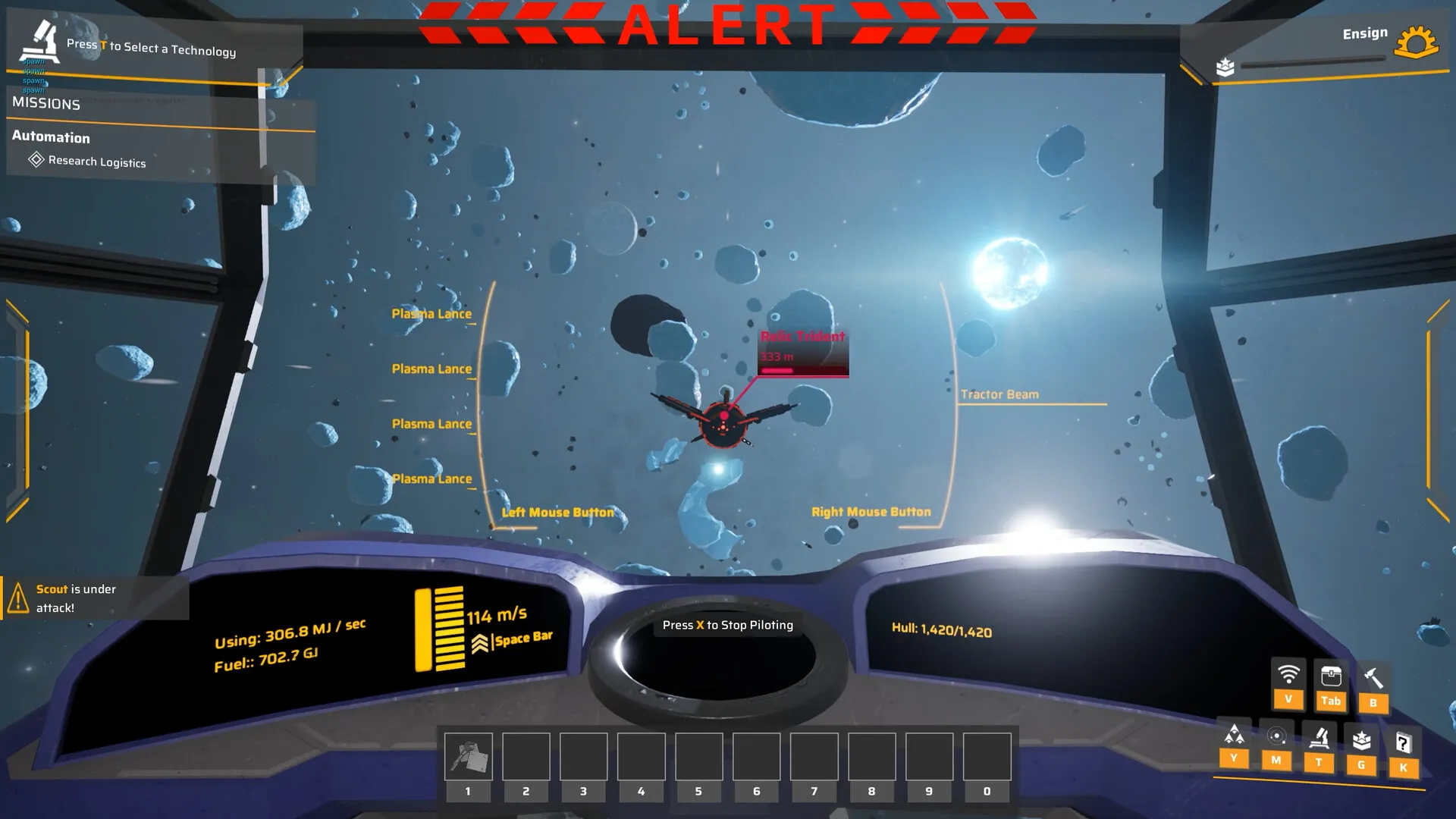
Do not assume a mining laser is a competitive weapon simply because it is attached to a ship, or that a shield makes a ship invulnerable. The current public sources do not provide damage, range or resistance numbers. If you want a combat build, test it in the safest encounter you can find and bring Repair Packs.
Step 6: save, share and iterate
Official material confirms saved ship/station designs, sharing with friends and creative-mode building from the main menu. Treat blueprints as design records:
- Give each ship a role-based name, not just a version number.
- Keep a stripped-down test hull before uploading a decorated final.
- Save after a successful test flight, not before it.
- Expect blueprint compatibility to change between demo and Early Access; no transfer has been confirmed.
For the full module index, including what is and is not known about each part, use the ships and station modules database. For combat planning, read the combat and defense guide.
Common ship design mistakes
- Building with no role. A generalist first draft is fine for learning the interface, but do not call it a finished design.
- Ignoring the build-cost panel. The ship you designed may be far beyond what your station can currently produce.
- Sealing the reactor. Power equipment needs access and configuration.
- Copying old mass values. Official patches already changed ship-part masses; an old screenshot is not a current stat sheet.
- Skipping the test flight. Dock, fly and shoot before you commit to a blueprint.
- Assuming blueprints transfer. Save your ideas outside the game; demo-to-release transfer is unconfirmed.
Common questions
Short answers, with the verified detail kept in the sections above.
Can you build your own ships in Main Sequence?
Yes. The ship Designer lets you build module by module, including cargo, reactor placement and weapons. You can access it from a Shipyard Core on a station, from the main menu for creative design, and according to official material save or share blueprints.
What do mass, hull and thrust mean in the Designer?
The official screenshots show mass, hull, thrust and dimensions in the ship design readout. Mass is the build’s weight, hull is a structural/durability figure, and thrust is the propulsion output. The available public sources do not publish the full formulas, so treat the numbers as in-game trade-offs rather than a standalone stat tier list.
Does a Ship Container increase storage?
The August 2025 patch notes say each Ship Container added to a ship increases the ship’s inventory max stack size by 50%. That is a historical balance note; the value may change during Early Access.
Can you share ship blueprints?
The Steam description says players can save designs, share them with friends and build freely in creative mode. The exact file format, cross-version compatibility and multiplayer sharing process are not documented in our sources.
Sources and verification
These are the primary references behind this page. Where sources disagree, the page explains the difference instead of presenting a guess as fact.
- Main Sequence on SteamValve / Tumbling Dumpling Studio2026Official storefront
Release date, Early Access statement, system requirements, feature list, store description, language support.
- Introducing Main SequenceMain Sequence / Steam2025-08-12Official developer / publisher
Core gameplay loop, ship and station designer, mining drone bays, science labs, creative mode.
- Playtest Release 13 patch notesMain Sequence, mirrored by SteamDB2025-08-30Official developer / publisher
Shipyard Core, Large Thruster, Ship Container storage bonus, Repair Packs, glass and window items, and station module details from the August 2025 playtest build.
- Playtest 2 Patch 4Main Sequence / Steam2026-09-21Official developer / publisher
Ship component masses, repair mechanics, Warp Fuel restriction, Slipstream Drive tutorial, general fixes.
- Next Fest Demo UpdateMain Sequence / Steam2026-10-19Official developer / publisher
October demo update, Electromagnetic Science, new modules including Shield Generator Mk. 1, co-op in the demo.
- Main Sequence screenshots on SteamTumbling Dumpling Studio / Valve2026Official media
Official screenshots used for editorial illustration, research-tree nodes, modules and in-game UI context.
Accessed and checked November 1, 2026. External pages can change after publication.